Family Groceries is an app I originally designed to use for my own needs. Several
people I know suggested I formalize it and publish it in the app store. After much
thinking and code refactoring I decided is was feasible to do it. When designing
this app I wanted the following features.
Three States for Items in the List
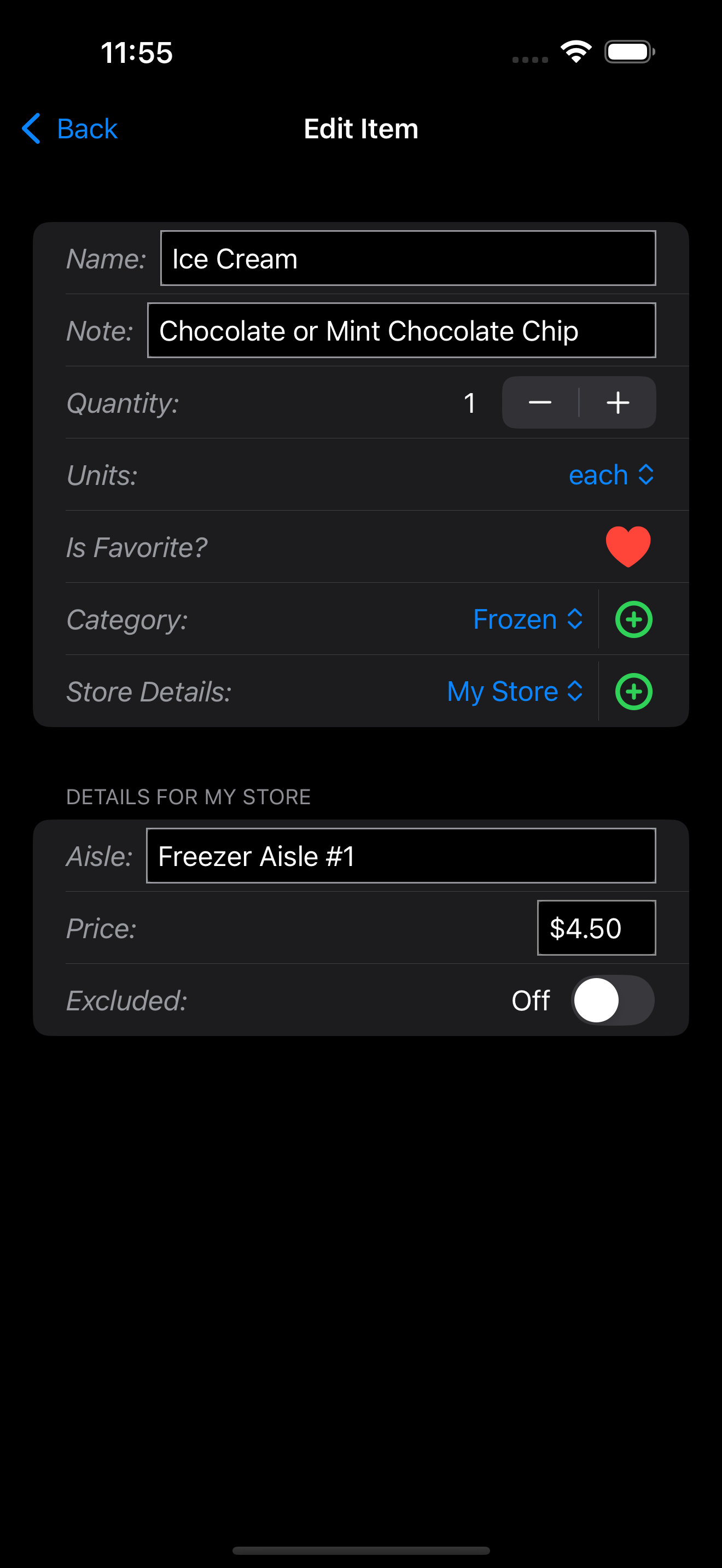
Per Store Price and Aisle Information
Selection Between iCloud Storage or on Phone File (iCloud required if using the iPad app as well)
Both Quantity and Units for Items
Status Bar With Counts and Price Totals for a Store
UI Looks Good in Light or Dark Mode
Managing the List Page Features:
Search on Manage List Page
Filter on Manage List Page (Favorites and in Need List)
Change Long Press Action Between Toggling Favorite Status or Item Editing
Brief in App Help Page
Backup and Restore List Data Feature
Clear All List Data
Notes per Item
Duplicate an Item
Go Shopping List Page Features:
View Crossed-Off Items
Inline Store Aisle/Price Editing
Complete Shopping Menu Item
Specific Store or All Stores selection
Sort by Category
Sort by Store Aisle
Sort Alphabetically
Collapsible Category and Aisle Sections
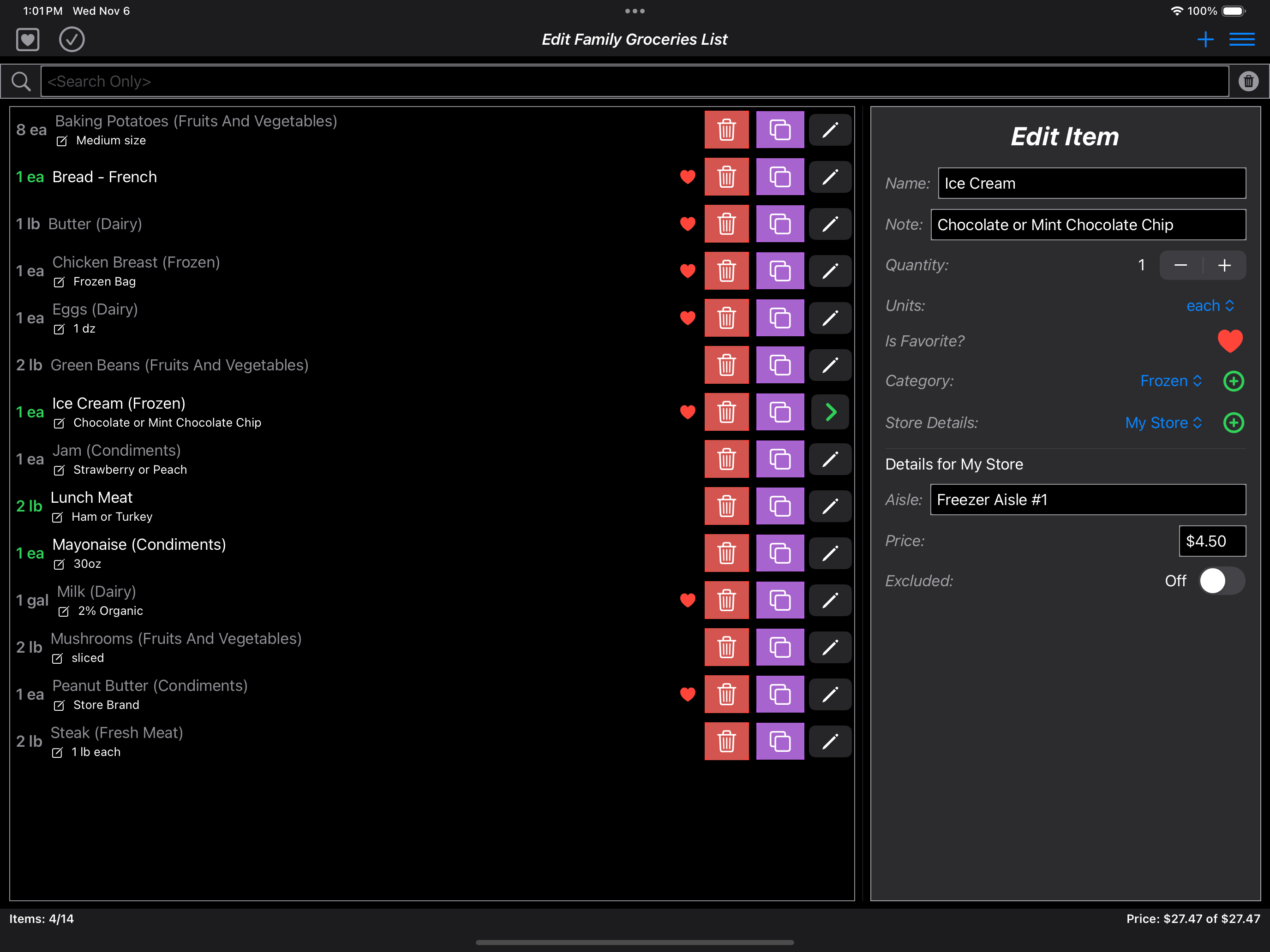
iPad Optimized Editing Version (No Shopping Page)
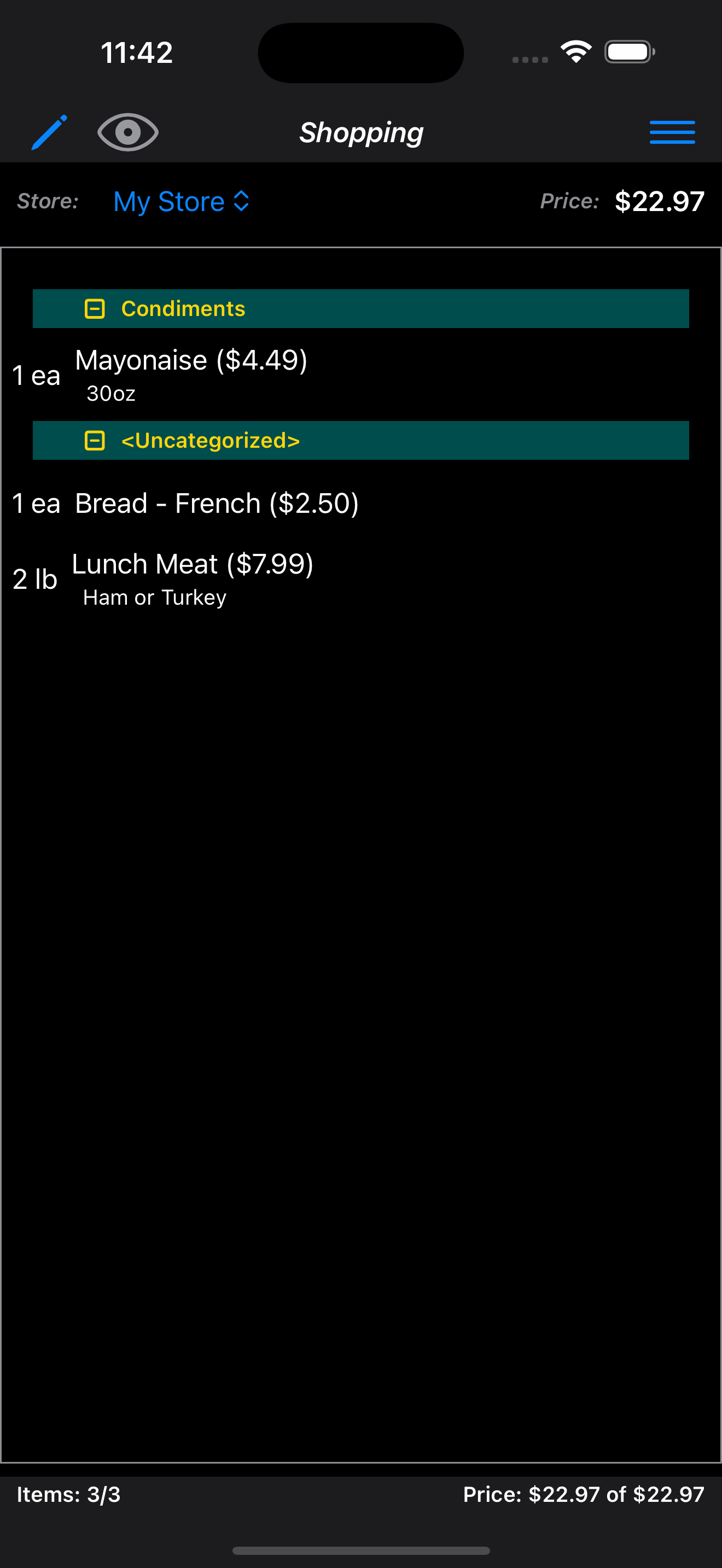
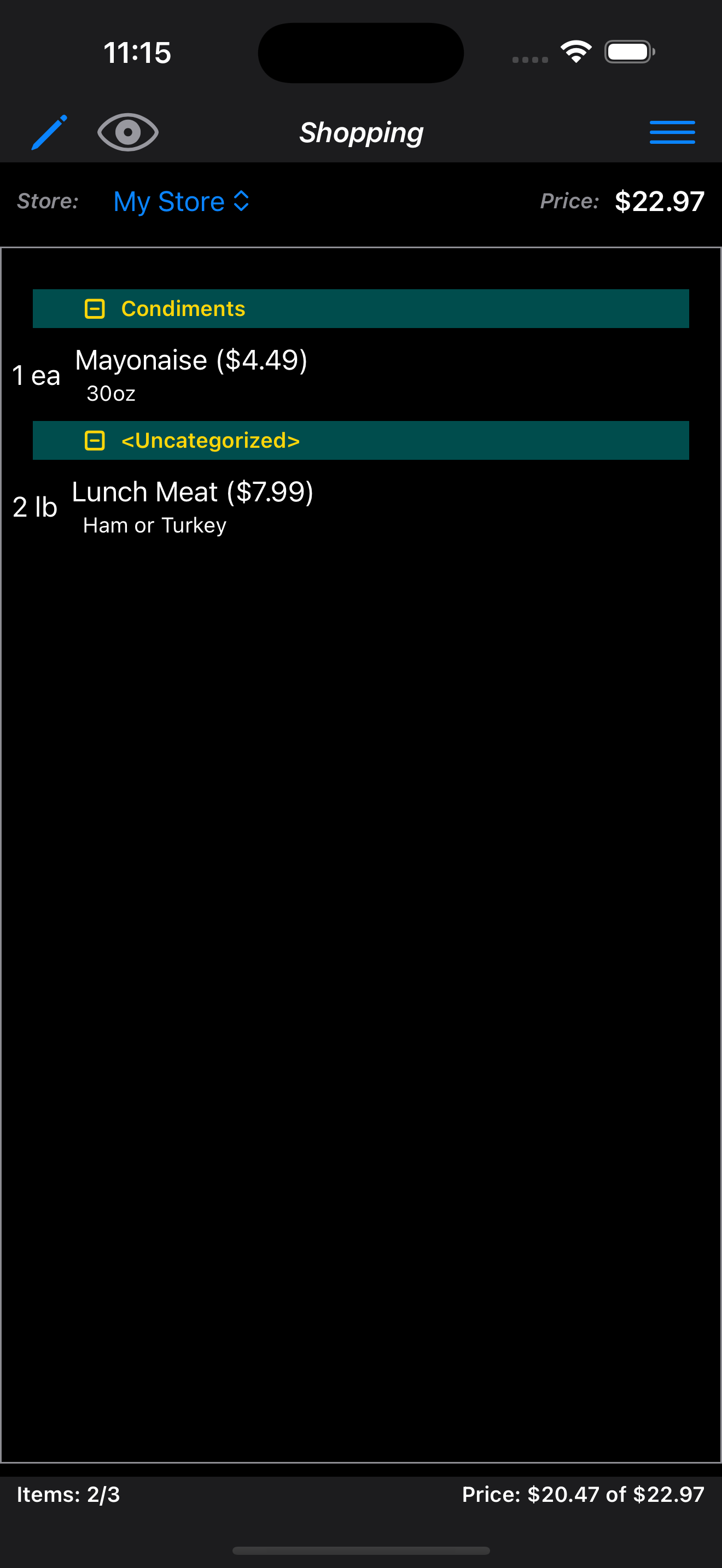
Three States for Items in the List
This was job #1. In the programs I have tried from the app store most have only 2
states for an item or an undo stack. The item is in the list to get or its not. When
you accidently check or cross-off and item it moves directly into the unneeded pool.
This makes it hard to recover and items get missed at the store.
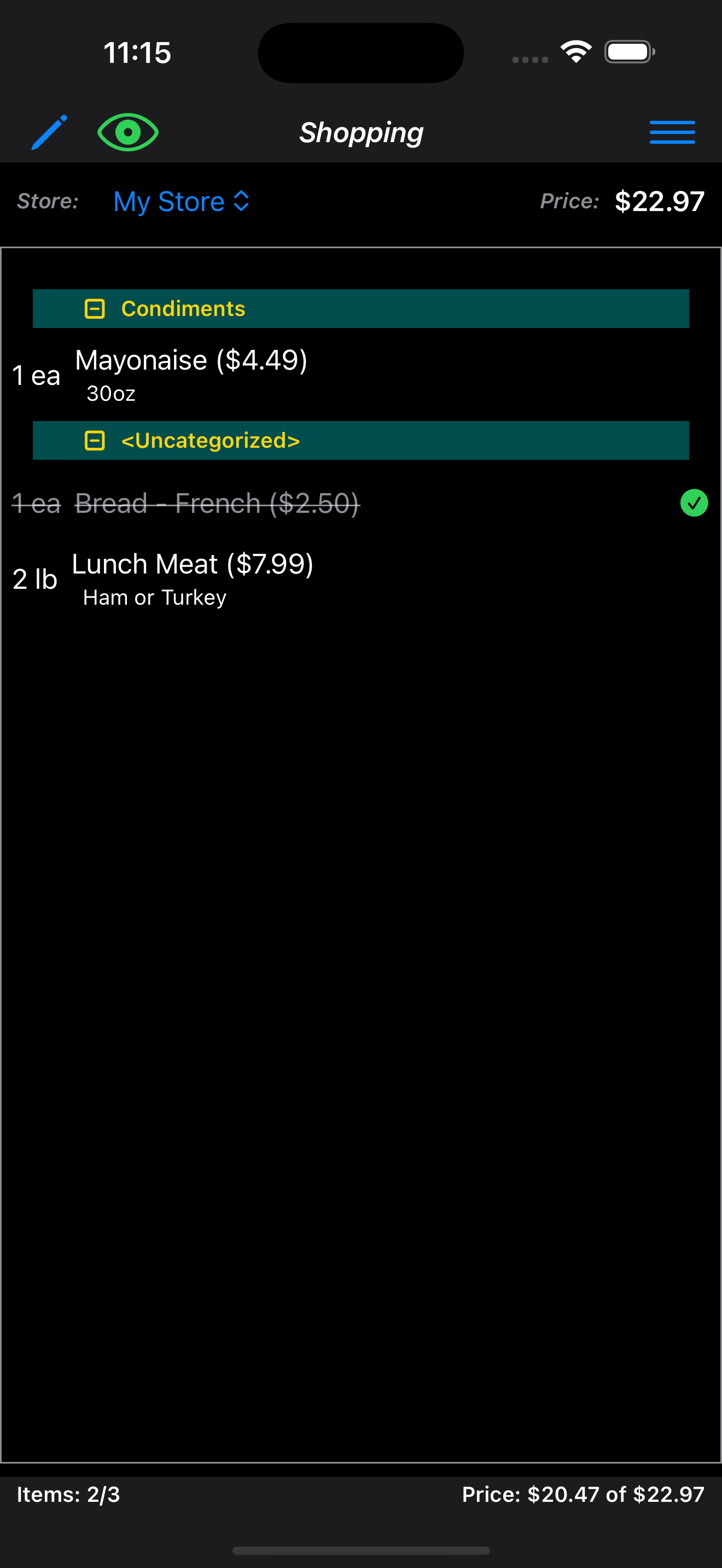
With 3 states like in Family Groceries, if you accidently check off an item you can
view it and put it back on your list reguardless of when it happened. This is much
better than using "undo" features which may require undo-ing items you wanted checked
off to get back the one that was accidental.
Before Crossing OffBefore Crossing OffBefore Crossing Off
Per Store Price and Aisle Information
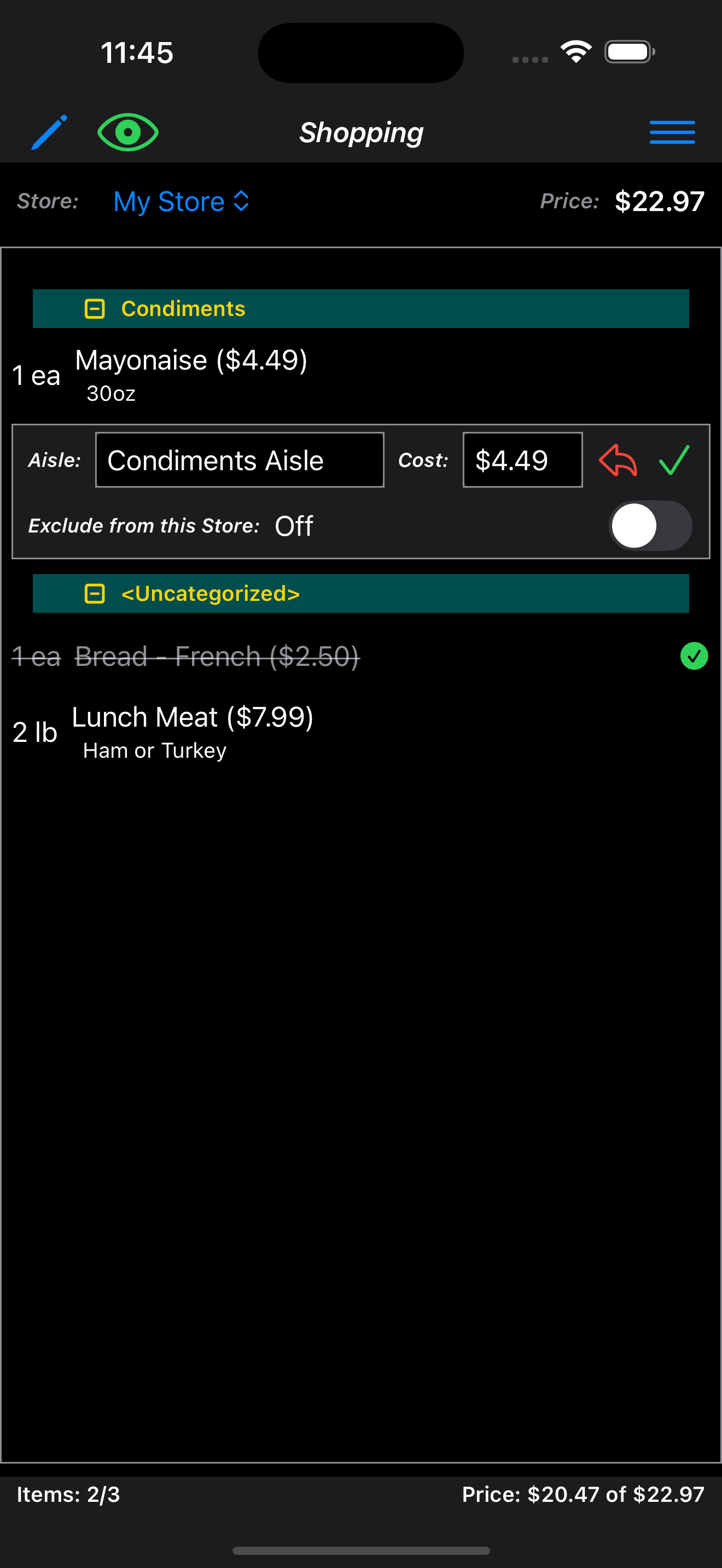
This feature lets the user update prices and location for each item in multple stores.
This is how I personally save time at the store and have an idea before checkout what
I am spending. Hint: You can use store's websites to fill in prices before going shopping.
The shopping page also allows editing this specific information while at the store.
In-Store Mode Editing
Different App Pages for Managing the List and Going Shopping
This was also a must! I used other apps that attempted to use one view for all list features.
I found them confusing and much more difficult to use. When at the store I want to focus
only on shopping.
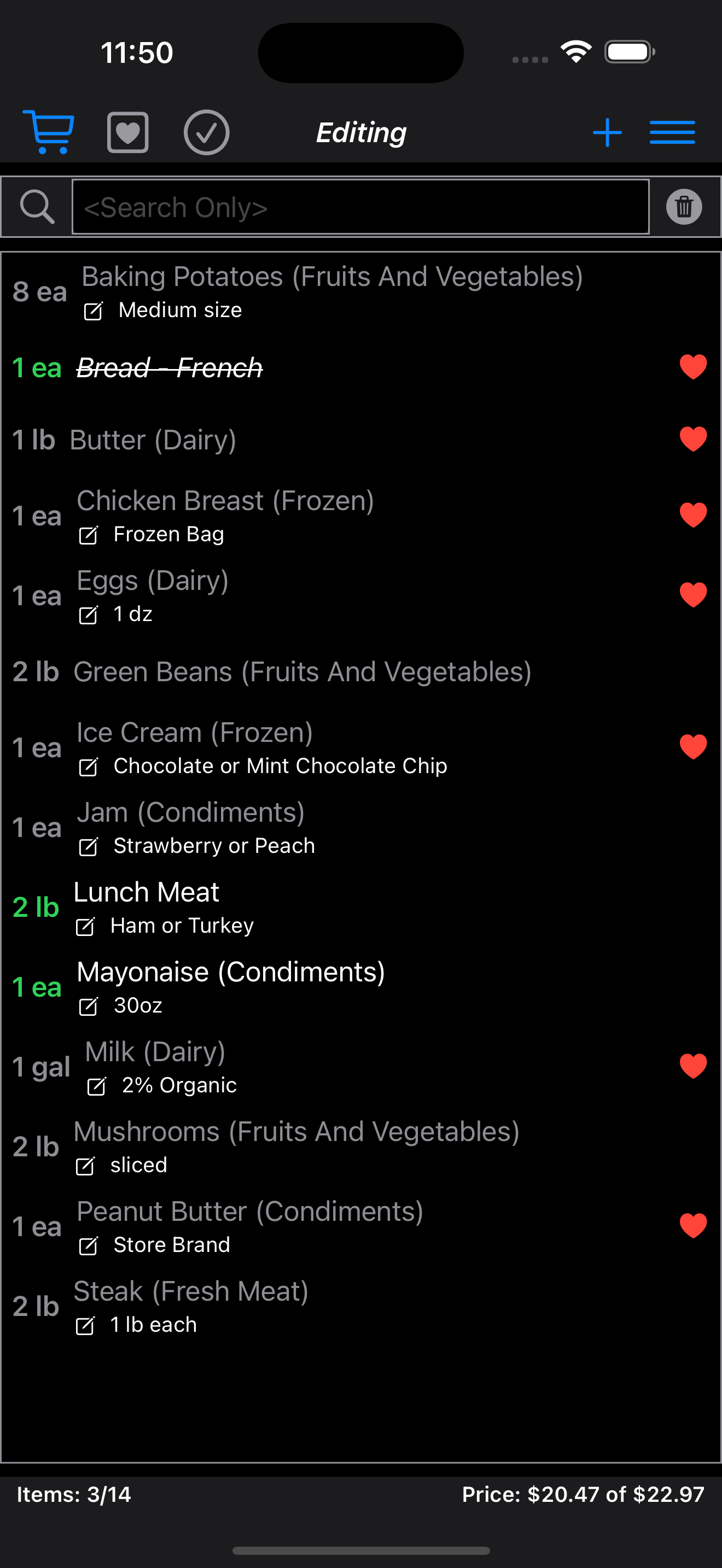
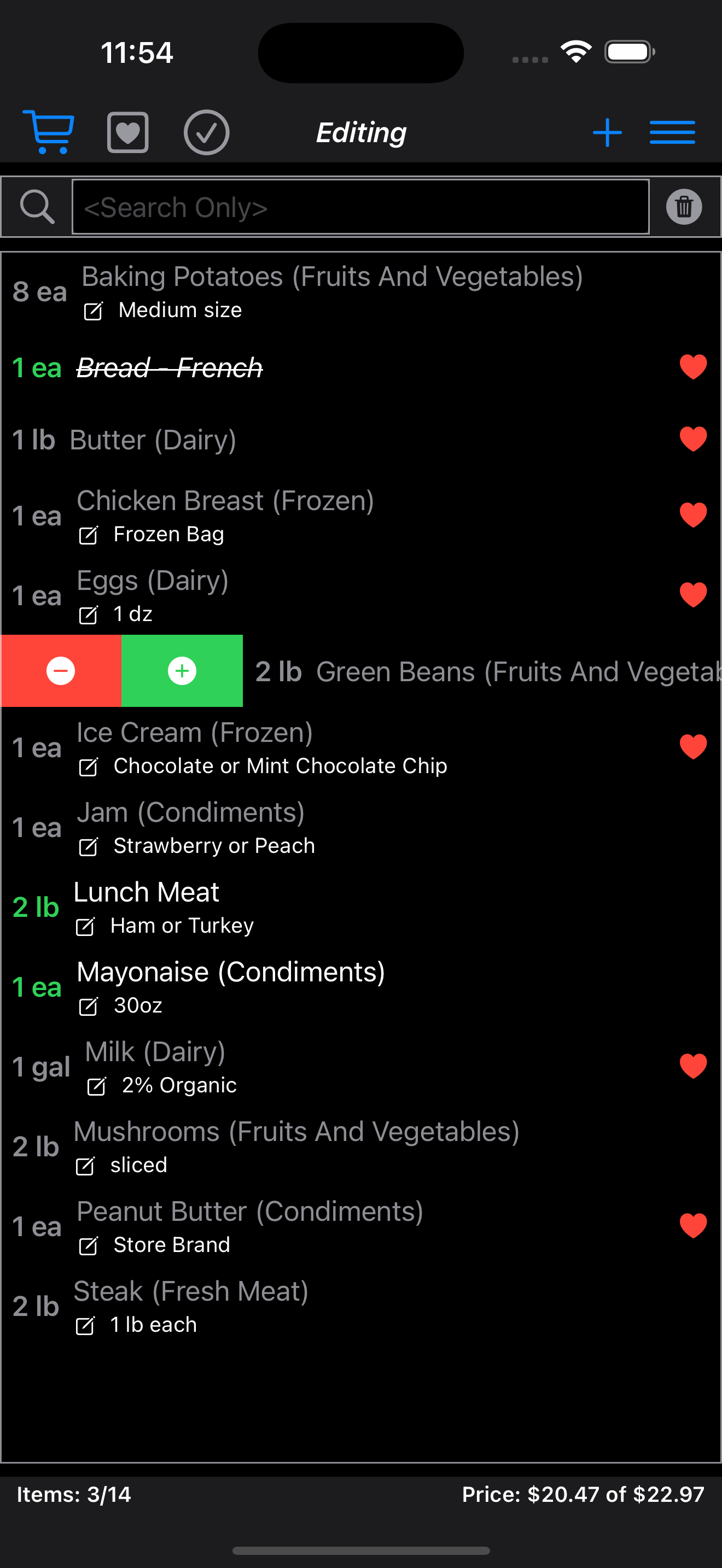
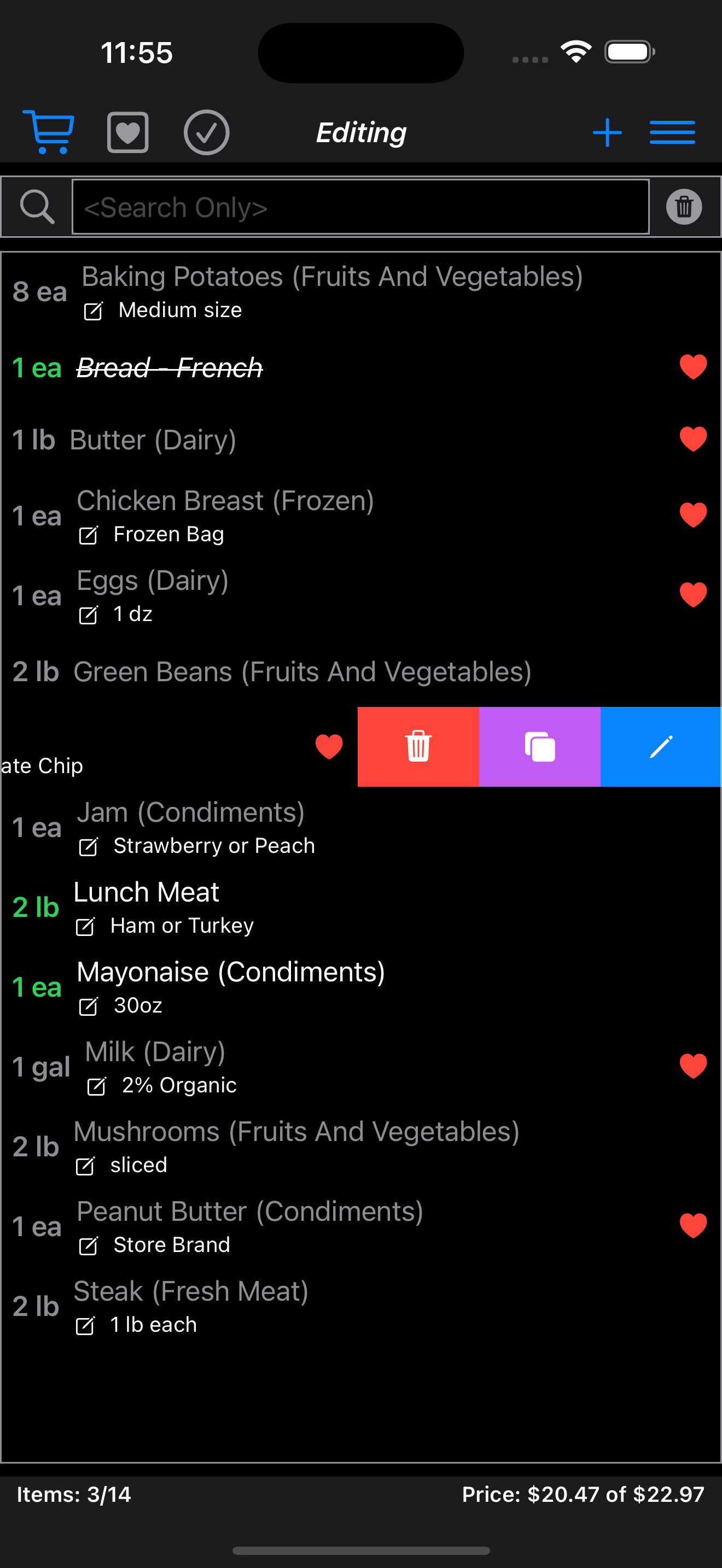
Managing the ListSwiping RightSwiping LeftEditing an Item
Different iPad App for Managing the List Only
This was mostly an after thought but for those with an iPad the App behaves as a list editor
only. The design used the iPad's extra screen for a decent list manager. There is no shopping
mode right now for iPad.